Request an item from outside our Library
How to borrow from another library
1 Search
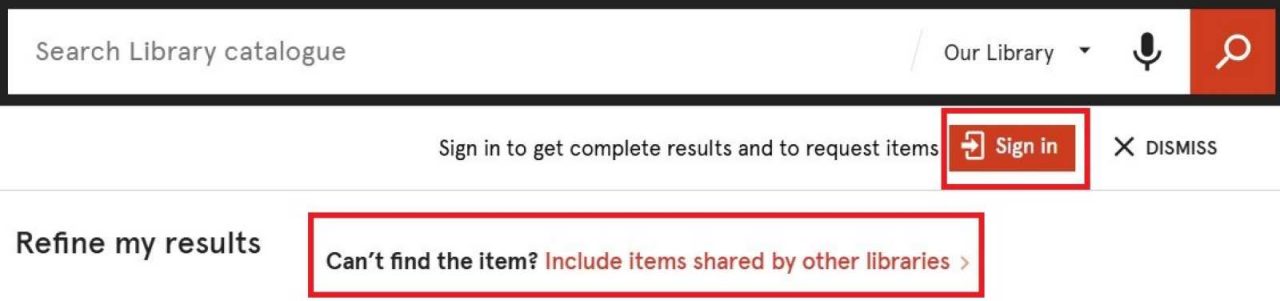
Sign in to the the Library catalogue and search for the item you need from our collections. If you can’t find the item, select “Can’t find the item? Include items shared by other libraries” to also see items available through other institutions.
2 Check options
Select the item you need.
See the access options under “Shared by other libraries”. You may be able to borrow a physical copy or request a digital chapter or article from another institution.
3 Collect / Download
Requested physical items will be delivered to a University of Sydney Library of your choice for you to collect. Requested digital items will be sent to you via email.
How long you can borrow an item
The loan period is usually three weeks at minimum. However, this may vary depending on the institution lending the item.
Generally, items borrowed from other libraries cannot be renewed. Please contact us to discuss your options if you require an item beyond its due date.
How many items you can borrow
- University staff, postgraduate students and honours students can borrow up to 100 items from other institutions per calendar year.
- All requests are subject to Australian Copyright Legislation, which may limit how much content you can request from a book or journal.
How long it will take to receive items
Items requested from Australian libraries arrive within 7-10 business days and requests from international libraries may take up to 4 weeks to arrive. For rare items, if available for borrowing, this may take longer to process. We’ll email you when the item is ready for pick up.
Information for other libraries/ institutions
The University of Sydney Library offers Resource Sharing, InterLibrary Loans (ILL) and Document Delivery services to other libraries and information institutions. This includes some Theses, depending on the individual Thesis format and access conditions.
Finding item identifiers for requests
When you are requesting an item from another library, it's helpful to include as much information about the item as possible. Including identifiers such as ISSNs or DOIs for journal articles and ISBNs for books and book chapters helps Library staff locate the correct item.
You can input these identifiers when using the special request form (only use the form when item cannot be found in Library Search).
You can find more information about ISSNs, ISBNs and DOIs below.
ISSNs
ISSN stands for International Standard Serial Number. An ISSN is a unique eight-digit number used to identify serials. This includes anything with a regular publishing schedule, such as newspapers, journals and magazines.
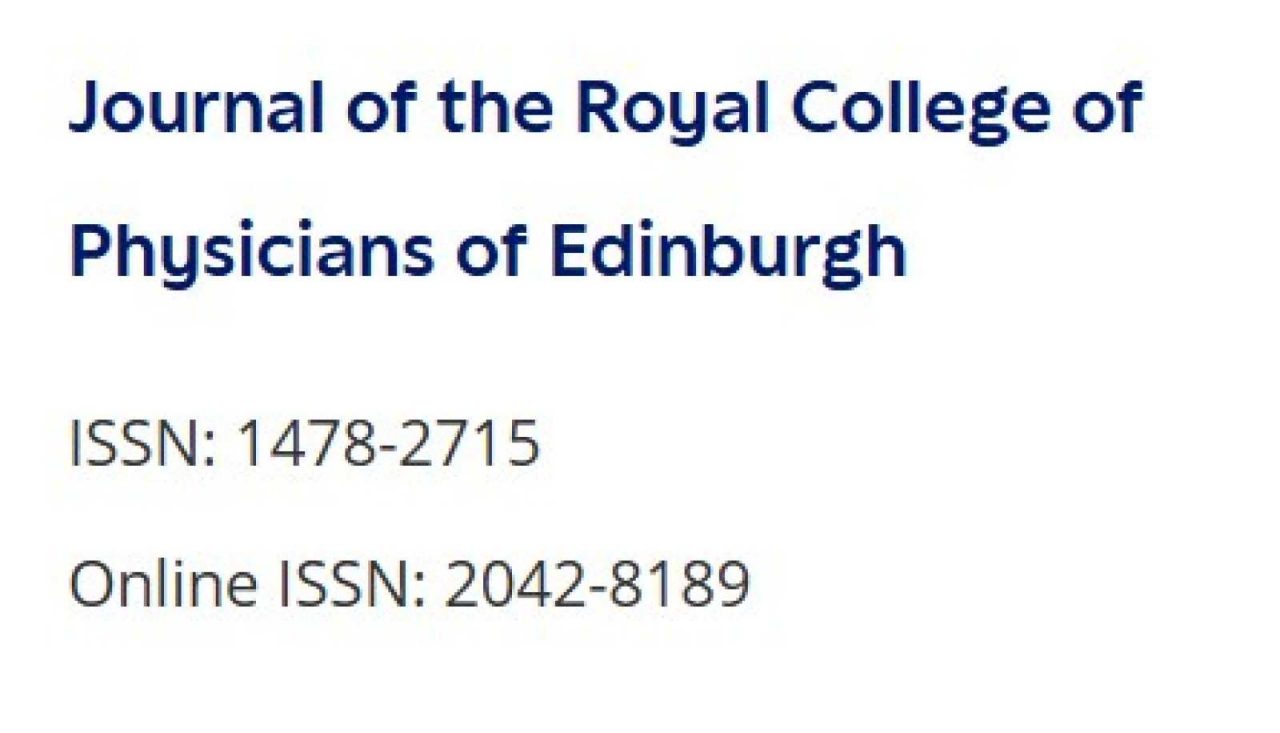
ISSNs are formatted as 1234-5678 or 1234-567X. Note that some publications have both a print ISSN and an online ISSN, sometimes known as an eISSN.
You can find the ISSN in a few different ways.
Library Search
Try to locate the article you are requesting in Library Search. Enter the article title in the search bar, then choose "Include items shared by other libraries". This will bring up results shared by other libraries.
Once you have done this, click on the desired article and then scroll down to the Details section, then the Identifier field. You will find the eight-digit ISSN here.
If you are unable to find the item in Library Search, you can use the special request form to try and request the item from another library. In this case, it might be helpful to look elsewhere for the ISSN, such as on the publisher's website or on a database page.

Publisher's website
A publication's ISSN can usually be found on the publisher's website. The publication's page should have a section containing information and details about the publication. The ISSN will usually be listed here.
Database page
Another way to locate the ISSN is by searching for the journal or publication title in Library Search, rather than the article title. While not all articles may be visible in Library Search, you may still be able to find the journal or publication in the search results. If there is online access to the journal, you can follow the link to view the online journal via a database. The ISSN or eISSN can usually be found in the section containing information about the publication. In some cases you will still be able to view this information even if we don't subscribe to the particular journal or have access to the article you are looking for.
ISSN Portal
The International Standard Serial Number International Centre website has a search tool, known as the ISSN Portal, which allows you to search by keyword, journal title, etc. You can find the ISSN Portal here.
ISBNs
International Standard Book Numbers (ISBNs) are persistent identifiers for books. They are used internationally across the book trade and library sector. You may have seen an ISBN before on the inside cover or the back of a physical book. You can find more information about ISBNs here.
ISBNs will be either 10 or 13 digits long depending on when the book was published.
A 10-digit ISBN will look like this: 0241520770
A 13-digit ISBN will look like this: 9781234567890
You can find the ISBN of a particular book by locating the item in Library Search, or by locating the title on a website such as the National Library of Australia catalogue. ISBNs for the same title can vary according to edition, region, publisher and publication date, so be sure to check that the ISBN you are using matches the edition of the book you are looking for. Note that many older books won't have an ISBN.
DOIs
Digital Object Identifiers (DOIs) are persistent unique digital identifiers assigned to objects, such as research outputs like publications or datasets. You can find more information about DOIs here.
DOIs contain both a prefix and a suffix, separated by a forward slash, and will appear like this: 10.1007/s10551-023-05365-5
To use the DOI, you will need to add https://doi.org/ before the DOI. This creates a functional URL which you can enter into your browser search bar. For example, the full usable URL for the above DOI would look like this: https://doi.org/10.1007/s10551-023-05365-5
Related information
Contact
Email us at resourcesharing@usyd.libanswers.com.
We're here to help, online or in person.