Edit items
Edit an item
Click the menu button (3 dots) on the item you want to edit.
Click Edit item.

Here you can refine details about the item such as title, publisher, publication date, and page numbers.
Click Save when complete.

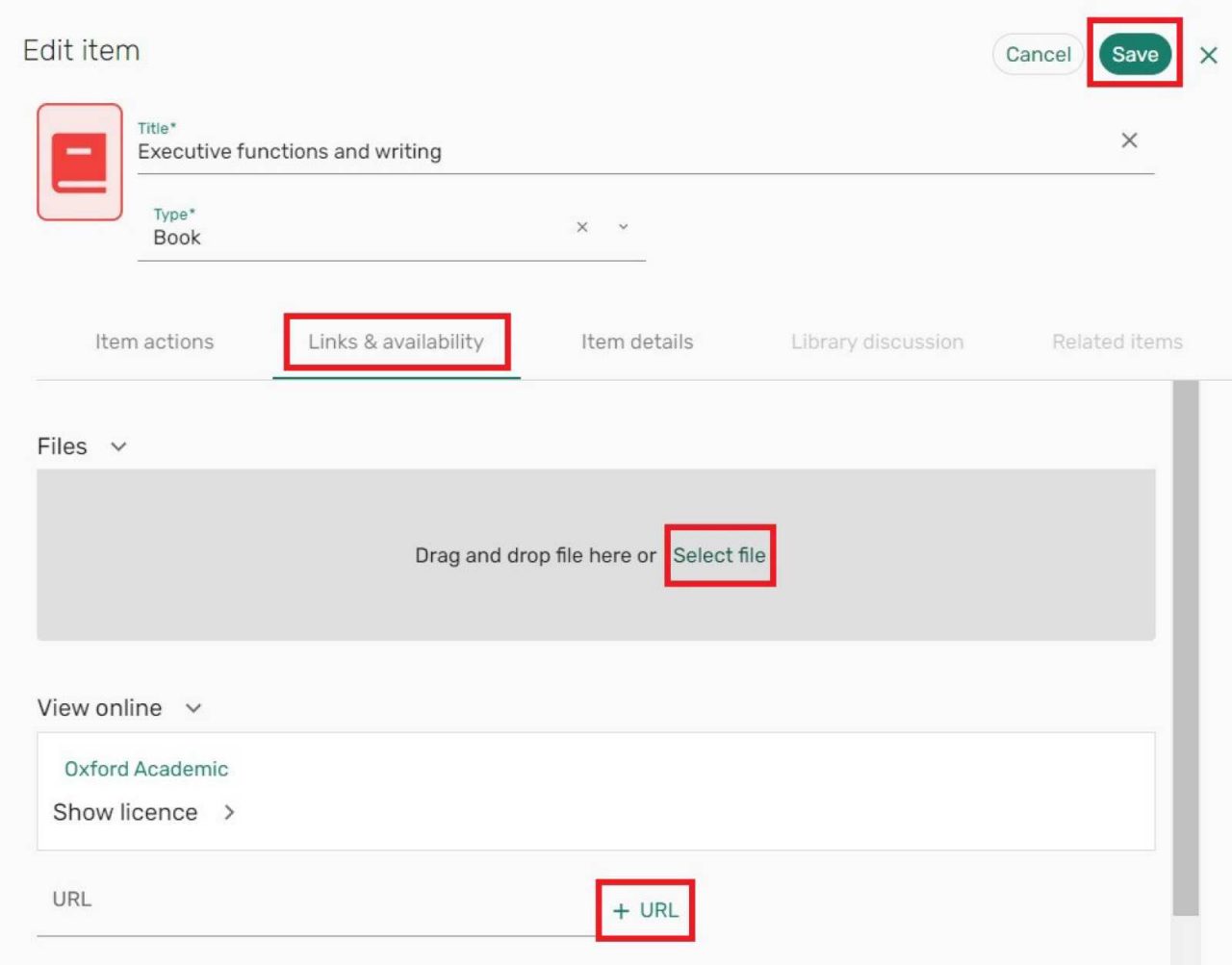
To edit a link or file click on the Links & availability tab while in Edit item. Under the heading Files you can add or remove files. Where possible, link to the item rather than uploading a copy. Please note that also attaching a file will take additional time to process and delay access for students.
Under the heading View online you can edit or delete links that have been added manually. You can add additional links by clicking on + URL. Click Save after any edits.
Add tags
Tags are pre-set by the Library and are used to identify actions for students or the Library.
Click on the item title or go to the Item actions tab by clicking on Full details on the right-hand side of the item. Under the heading Add tag select the appropriate tag: Required, Recommended, Digitise, Move to Short Loans, or Place a purchase request.
Multiple tags can be selected.

The Required and Recommended tags are the only tags visible to students.
Tags have the following functions:
- Digitise: request a scan of a chapter or range of pages.
- Move to Short Loans: request that a required print book be moved to the Library's Short Loan section.
- Place a Purchase Request: request for an item be purchased.
Add a note
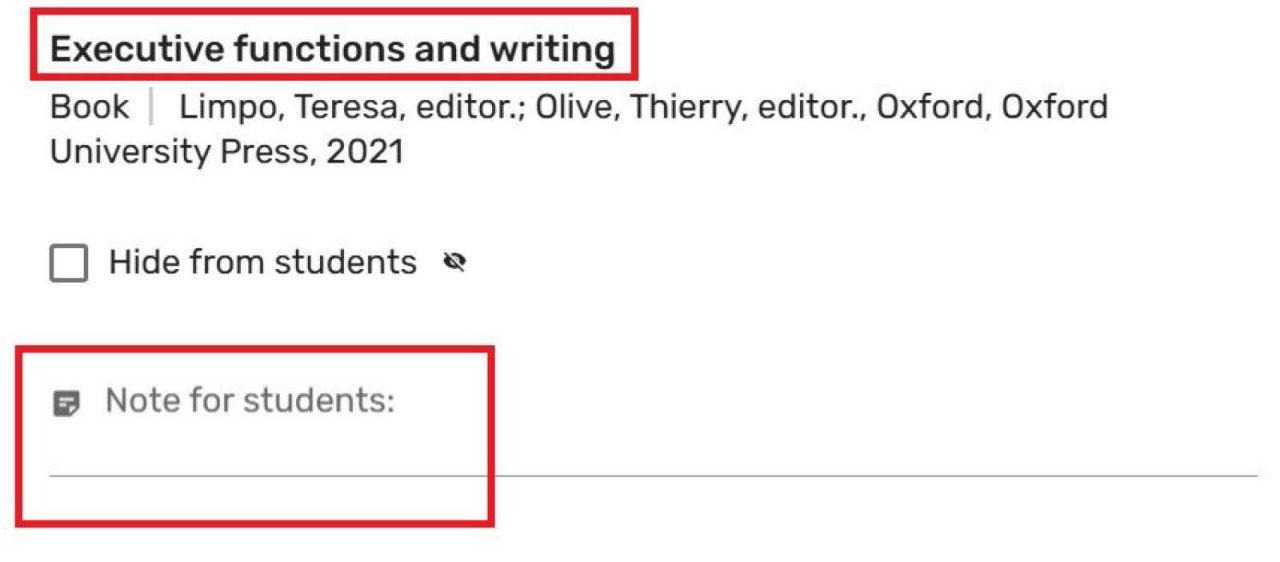
Click on the item title and add notes under Note for students.
Contact
Contact the Library team for help with your Reading Lists.